The journey behind FitOnePro
It started with a workout builder
How a conversation with my personal trainer grew into FitOnePro, and the design decisions behind a connected coaching platform.My personal trainer told me that many trainers use several different tools. An app for training plans, WhatsApp for communication, spreadsheets for progress, and separate systems for nutrition and scheduling.
As a software developer, I was interested in the work left between those tools. Who connects an adjusted workout to the right client? Where does the record of the completed session go? How does a coach know which information belongs in the next conversation?
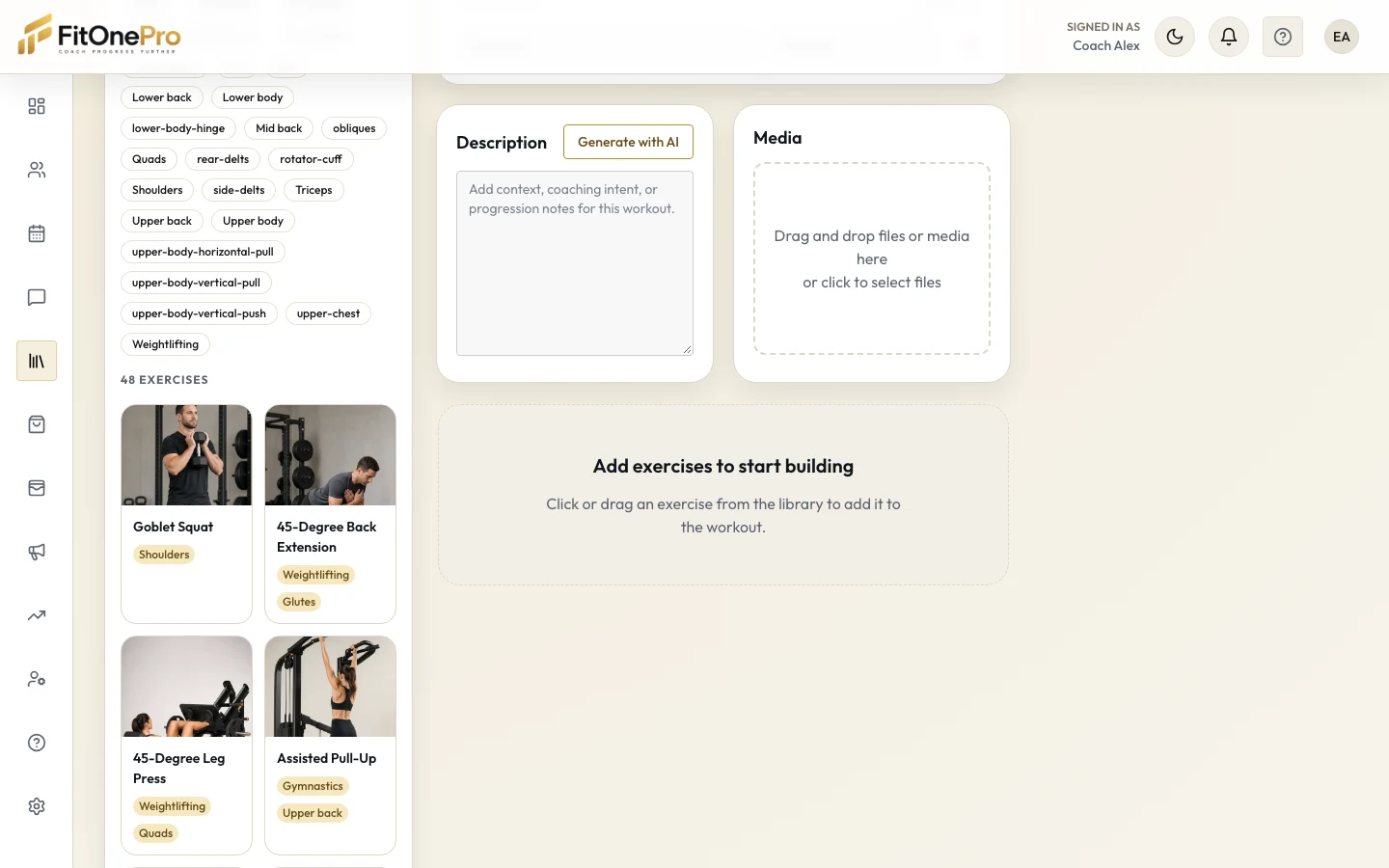
I wanted to explore how to support that coaching process as a whole. But I started small: with a Manager App where a trainer could manage exercises and build workouts.
In May 2024, those parts began taking shape in code. Sets, exercise order and weekly scheduling followed. That became the first foundation of FitOnePro.
First, build something a trainer can reuse
A trainer needs to use a good exercise in different workouts without entering it from scratch each time. So the exercise library got its own place. Workouts could be built from that library, then linked to a training plan.
This raised my first design question: which information belongs to the exercise, and which belongs to the session it is used in?
Instructions for performing an exercise can be reused. Sets, repetitions and weight can vary from one session to another. Modelling these separately allowed the same training knowledge to be used across different plans.
That is what I mean by a data model: decisions about what information to store and how the parts connect. For the trainer, the main benefit should be less duplicate work.
Planned is not the same as completed
Once a client completes a session, a second kind of information emerges. The coach prescribed something. The client did something. You need to be able to compare the two.
Suppose a coach plans three sets of ten repetitions. The client manages eight repetitions in the final set. If those eight overwrite the planned ten, you lose the difference. Yet that difference may be a reason to ask a follow-up question or adjust the next session.
In FitOnePro, the reusable workout, the scheduled session and the recorded performance therefore each have their own place. The performance record stays connected to the client, training day and exercise.
For me, this is one of the product's most interesting engineering decisions. What looks like a few input fields on a screen needs clear boundaries behind it. Otherwise, you can still display data later, but explaining what it means becomes increasingly difficult.
For the coach, that structure supports a simple question: what was the plan, and what actually happened?
- ExerciseReusable training knowledge in the exercise library.
- WorkoutExercises, sets and rest combined in a reusable session.
- ScheduleThe workout becomes part of the client's training plan.
- PerformanceThe client records what was actually completed.
- ProgressThe coach compares the plan with the result.
- Manager App
- Client App
The Client App changed the scope of the product
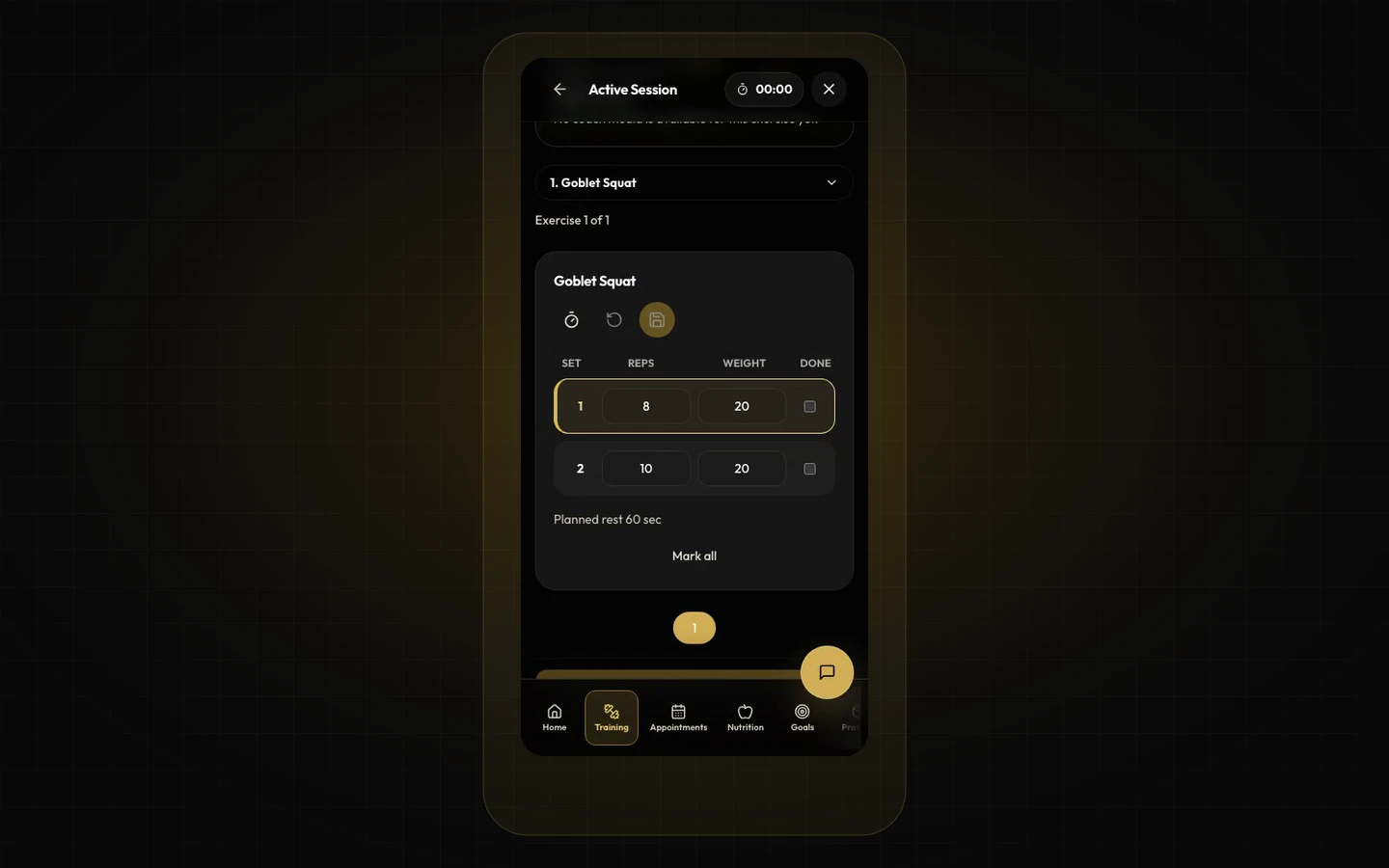
The first Manager App helped the trainer organise training content. But publishing a workout did not complete the coaching process. The client needed to receive the session, complete it and report back.
So I added a separate Client App. From that point on, I was building both sides of the same collaboration.
That made user experience and technology directly dependent on each other. During a session, the client needs to understand which set comes next and what to enter. Later, the coach needs to recognise which scheduled session that record belongs to. A clear screen only helps if the information ends up in the right place.
The question became bigger than how to publish a workout. How do you give a trainer and a client their own working environments while keeping their actions connected?
New features needed to complete the next step
Nutrition brought back the same design question. A nutrition plan describes what was agreed. A nutrition log describes what someone recorded. Goals and check-ins provide context. Here too, the distinction between the plan and what happened needed to remain clear.
For remote coaching, the connection lay elsewhere. Offering a package is the beginning. Registration, payment and access to coaching then need to fit together. Otherwise, the manual work just moves to another screen.
FitOnePro grew from there. My main test for a new feature became: which step in the coach's or client's work does this complete, and what existing information does that step need?
That question connects product decisions, screen design and technology. It helps prevent a platform from simply getting bigger without making the work easier to manage.
AI became interesting once the context was there
With training plans, performance records, goals and progress in the same platform, there was also a useful foundation for AI assistance.
The existing AI Coaching code can bring together selected client context and prepare suggestions for areas including goals, training and nutrition. The information and actions available depend on the selected modules and permissions. How confirmation works depends on that configuration.
For me, this makes the technical question more interesting than simply generating an answer. Which information belongs to this client? What is missing? What can a suggestion change, and who decides?
Those boundaries belong in the product itself. More AI assistance is a direction in which FitOnePro can continue to grow. That does not mean every conceivable coaching task is already automated today.
What I take into the next product
More than two years after the first workout builder, the Manager App and Client App support a much broader coaching process. Looking back, the most important lesson for me lies in the connections: between plan and performance, coach and client, registration and coaching.
At Zuyderwijk Media, I work from the same principle. First, understand how someone works. Then build a useful first part and organise the information so the next step can connect to it.
FitOnePro shows how a practical question can grow into a platform, provided each addition also strengthens the connections. The screens make those connections visible. The decisions behind them make the product useful.
A brief development timeline
These milestones are based on recorded code history. They are not release dates or dates when features became available to customers.
| Period | Development |
|---|---|
| May 2024 | The exercise library and workout builder take shape. |
| June and July 2024 | Sets, exercise order and client-specific weekly planning follow. |
| April 2026 | The reviewed code shows both sides of the platform: scheduling training, completing it and recording progress. |
| August 2026 | AI Coaching gains explicit policy layers, client settings and proposals. |
| November 2026 | This retrospective on more than two years of development is published, with Manager App and Client App images. |